
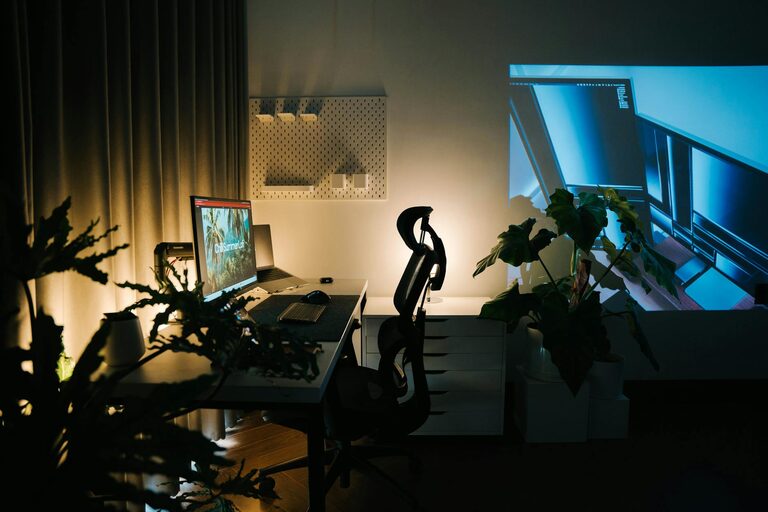
Creating a home workspace that combines comfort and functionality can greatly enhance your productivity and overall well-being. Whether you work from home full-time or occasionally need a dedicated spot for tasks, designing a space that feels inviting and supports your workflow is essential. In this post, we’ll explore practical tips to help you transform any corner of your home into a cozy, efficient workspace.
Why a Cozy and Functional Workspace Matters
Your environment has a big impact on how you feel and perform during work. A space that’s comfortable encourages longer focus sessions and reduces distractions, while a functional setup ensures you have everything you need within reach. Striking the right balance can boost your motivation and prevent burnout.
Choosing the Right Location
Find a Quiet Spot
Look for a quiet area in your home to minimize interruptions. Ideally, choose a space with minimal foot traffic and away from noisy appliances or TV noise.
Consider Natural Light
Natural light improves mood and productivity. Position your desk near a window if possible, but avoid glare on your computer screen by angling your setup accordingly.
Furniture Selection
Invest in an Ergonomic Chair
A comfortable chair with good lumbar support can prevent back pain and improve posture. Look for adjustable features to fit your body perfectly.
Select a Suitable Desk
Choose a desk that fits your room and work style. If space is limited, a compact or wall-mounted desk might work best. For standing options, consider adjustable desks.
Organizing Your Workspace
Declutter Regularly
Keep only essential items on your desk to maintain a clean and focused environment. Use drawers or boxes to store supplies you don’t use daily.
Use Organizational Tools
Desk organizers, cable management clips, and shelving can help keep your workspace tidy and accessible.
Personalizing Your Space
Add Cozy Elements
Incorporate items like soft cushions, a warm throw blanket, or a small indoor plant to create a welcoming atmosphere.
Choose Calming Colors
Pick colors that promote relaxation and focus, such as soft blues, greens, or neutrals.
Enhancing Lighting
Combine Ambient and Task Lighting
Use a mix of overhead lights and desk lamps to ensure adequate illumination. Adjustable lamps allow you to direct light where you need it most.
Avoid Harsh Lighting
Opt for bulbs with natural light tones to reduce eye strain during long working hours.
Technology Setup
Invest in Quality Equipment
Choose a reliable computer, keyboard, and mouse. Consider a second monitor if your work involves multitasking.
Manage Cables Neatly
Use cable organizers or clips to prevent tangling and reduce clutter.
Creating Healthy Boundaries
Define Work Hours
Designate specific times for work and breaks to maintain balance and avoid overworking.
Separate Workspace from Leisure Areas
Try to keep work items within your workspace to mentally shift between work and relaxation.
Adding Comfort and Inspiration
Play Soft Background Music
Music can help concentration for some people; choose instrumental or low-volume tracks.
Include Personal Motivators
Display photos, quotes, or artwork that inspire you without creating distractions.
Maintaining Your Workspace
Clean Regularly
Wipe surfaces and vacuum floors to keep your area fresh.
Update as Needed
Refresh your setup periodically to keep it functional and enjoyable.
—
By investing a bit of time and care into your home workspace, you can create a cozy environment that supports productivity and comfort. Start small and adjust your setup as you discover what works best for you. Happy working!